Having shot myself in the foot by rewriting already pushed history, it occurred to me that perhaps I could have the commits list in interactive rebase reflect the commits’ push status in color. If lines of commits that I’ve already pushed to a remote were colored red (or any sufficiently differentiating color), I might actually notice when I’m about to screw up again.
To illustrate what I mean, here’s a mockup I made. This is what it would look like if this was my commit history, and 8b0ce7b was the last commit I had already pushed to a remote:
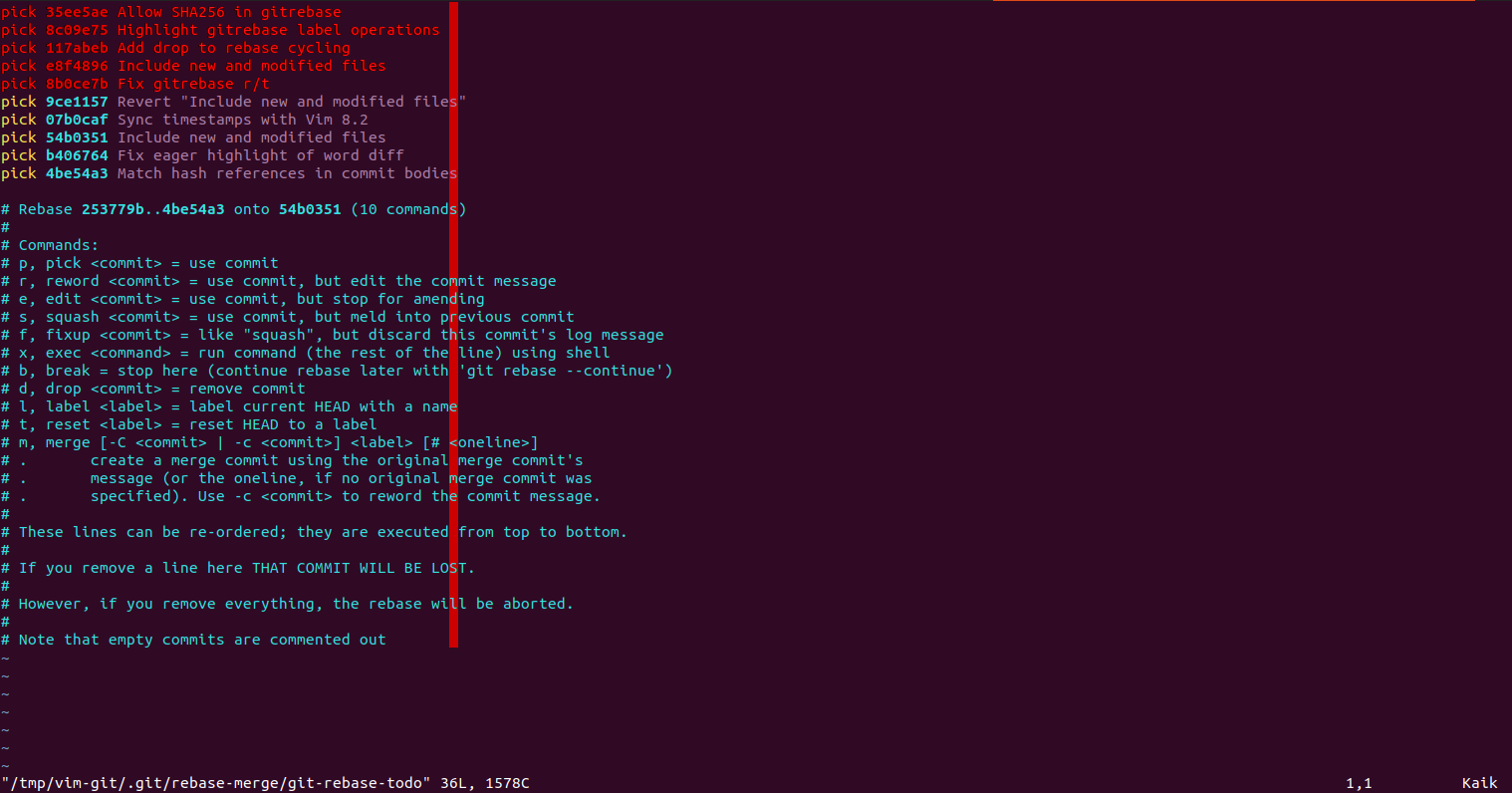
I have no previous experience in modifying syntax highlighting code, and I have no idea if what I’m suggesting is even possible with vim, so I figured I’d open this request first in case it’s a silly idea, or conversely, if you deem this useful enough to implement yourself.
For future reference, this was probably Ubuntu bug #1875558 (”libproxy1-plugin-gsettings triggers a lot of warnings”).
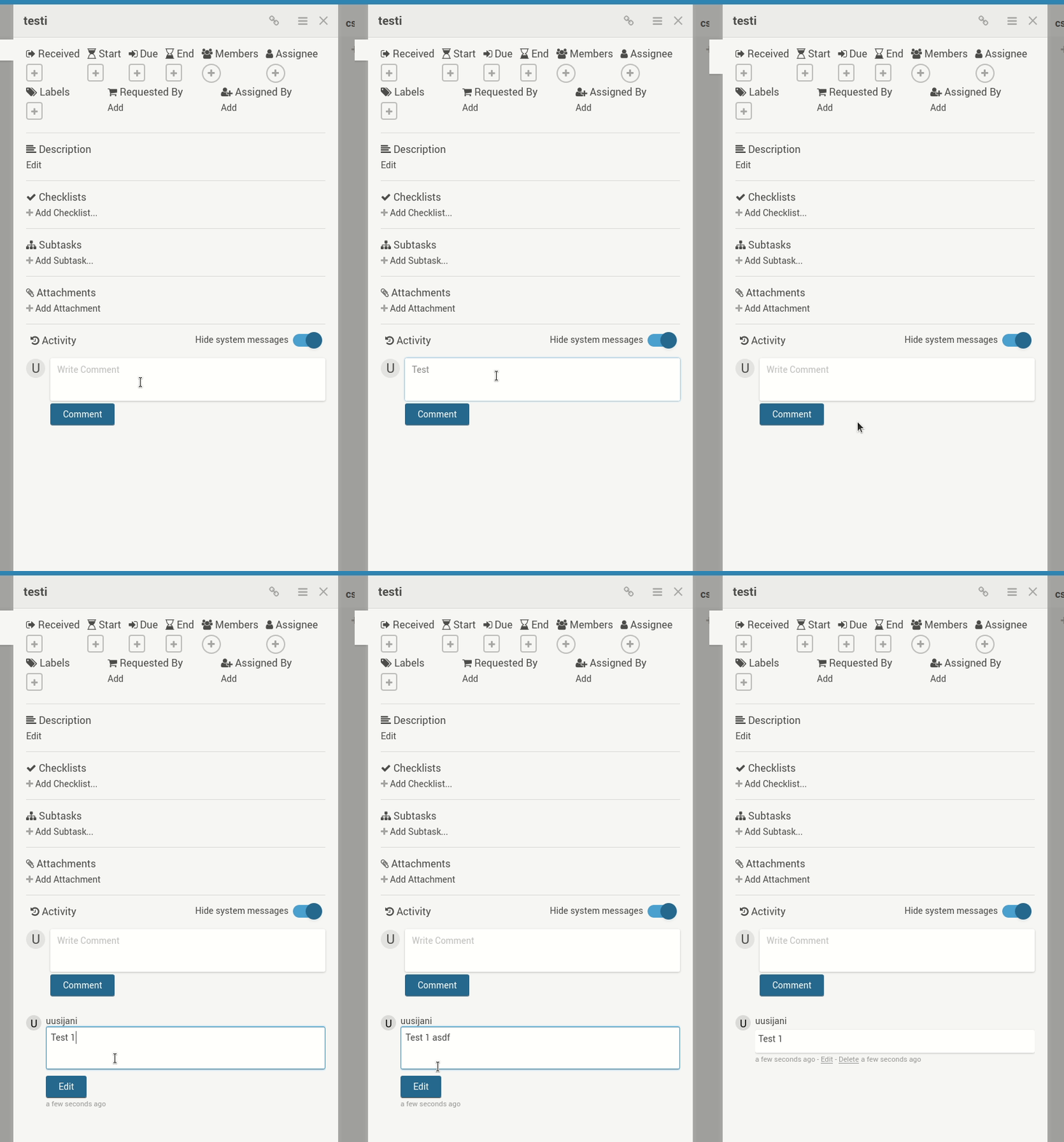
Comments can no longer be updated, as pressing the Edit button just reverts the comment back to what it was prior to editing. Both rich and non-rich editor are affected.
Server Setup Information:
- Wekan version: 3.89
- Operating System: Ubuntu 16.04
- Deployment Method: snap
- Http frontend if any: Apache
- Web browser: both Chrome and Firefox affected
Steps to reproduce
- Add a comment to a card.
- Click the
edit link to start editing the comment, make some changes.
- Click the
Edit button.
What I expect to happen
For the comment to reflect the changes made when editing.
What happens instead
The comment content reverts back to what it was prior to editing.
Logs
Nothing in browser console log, nothing related in server log.
Folders for auto upload? I have Camera twice (/storage/emulated/0/DCIM/Camera; once for pictures, the other for videos), OpenCamera (/storage/emulated/0/DCIM/OpenCamera) and Screenshots (/storage/emulated/0/DCIM/Screenshots).
(I only tried OpenCamera briefly, recently, and have since uninstalled it. The issue at hand was present already back when I first got this phone and installed Nextcloud on it, last July.)
I’ve always had auto upload enabled until now, so can’t say whether it’s dependent on that. I could try disabling it next time the issue re-emerges; as dictated by Murphy’s law, I was unable to trigger it just now that I intentionally tried to.
Oh, and I am running Beta (so currently 3.11.0 RC4) of the Nextcloud app. Can’t remember when I enrolled in.
I presume updating an existing installation is just a matter of replacing the existing files with files from the new release, but as this isn’t made explicit in the readme, I’m just a bit apprehensive about going ahead with it.
Problem description
Using ctrl-v to paste content into a comment causes the view to scroll back horizontally so that if the card was already at the right edge of the view, it seemingly pops out of view. This happens when using Firefox; Chrome seems unaffected.
I’m currently unable to test whether the non-rich editor is affected due to #2967, and also, as I was exclusively using non-rich editor prior to this, I can’t say if this occurred with the 3.85 refresh or whether it was here with the rich editor even before.
Server Setup Information
- Wekan version: 3.85
- Operating System: Ubuntu 16.04 (19.10 in another test VM)
- Deployment Method: snap
- What webbrowser version? Firefox 74.0, Chrome 80.0.3987.149
Logs contain nothing related to this AFAICT.
Steps to reproduce
- Copy something to clipboard
- Have a board with enough lists to fill the view horizontally, or contract the browser window to have one list at the right edge
- Open a card from the rightmost list
- Select the comment field, press ctrl-v
Demo
Here I’m first typing something, then pasting below it (using ctrl-v) to cause the unwanted scrolling to occur.

After today’s snap refresh to 3.85, rich editor is used for comments despite richer-card-comment-editor being set to false. Yesterday this was still working, and I didn’t change the settings, so it’s something to do with the latest refresh.
Server Setup Information:
- Wekan version: 3.85
- Operating System: Ubuntu 16.04 (19.10 in another test VM)
- Deployment Method: snap
- What webbrowser version? Firefox 74.0, Chrome 80.0.3987.149
Problem description:
(Nothing related in any logs)

Confirming as fixed! (Sorry for not getting back sooner, looks like Github failed to notify me.)

