I’ve worked around that enum error (since before owncloud 7 already) by adding this in 3rdparty/doctrine/dbal/lib/Doctrine/DBAL/Platforms/MySqlPlatform.php:
@@ -661,6 +661,7 @@
     protected function initializeDoctrineTypeMappings()
     {
         $this->doctrineTypeMapping = array(
+            'enum' => 'string',
             'tinyint'       => 'boolean',
             'smallint'      => 'smallint',
             'mediumint'     => 'integer',
Reopening. It didn’t go away after all, looks like the occurrence varies (didn’t see it yesterday), perhaps those Chromium settings just made it more probable.
I take that back, it seems to have been caused by Chromium all along (more specifically either #threaded-compositing-mode or #deadline-scheduling), despite those glitches appearing outside of Chromium too. Sot it’s a Chromium bug, but I’m too lazy to debug this further (the issue goes away with those configuration flags set to default) so I’ll just mark this as invalid.
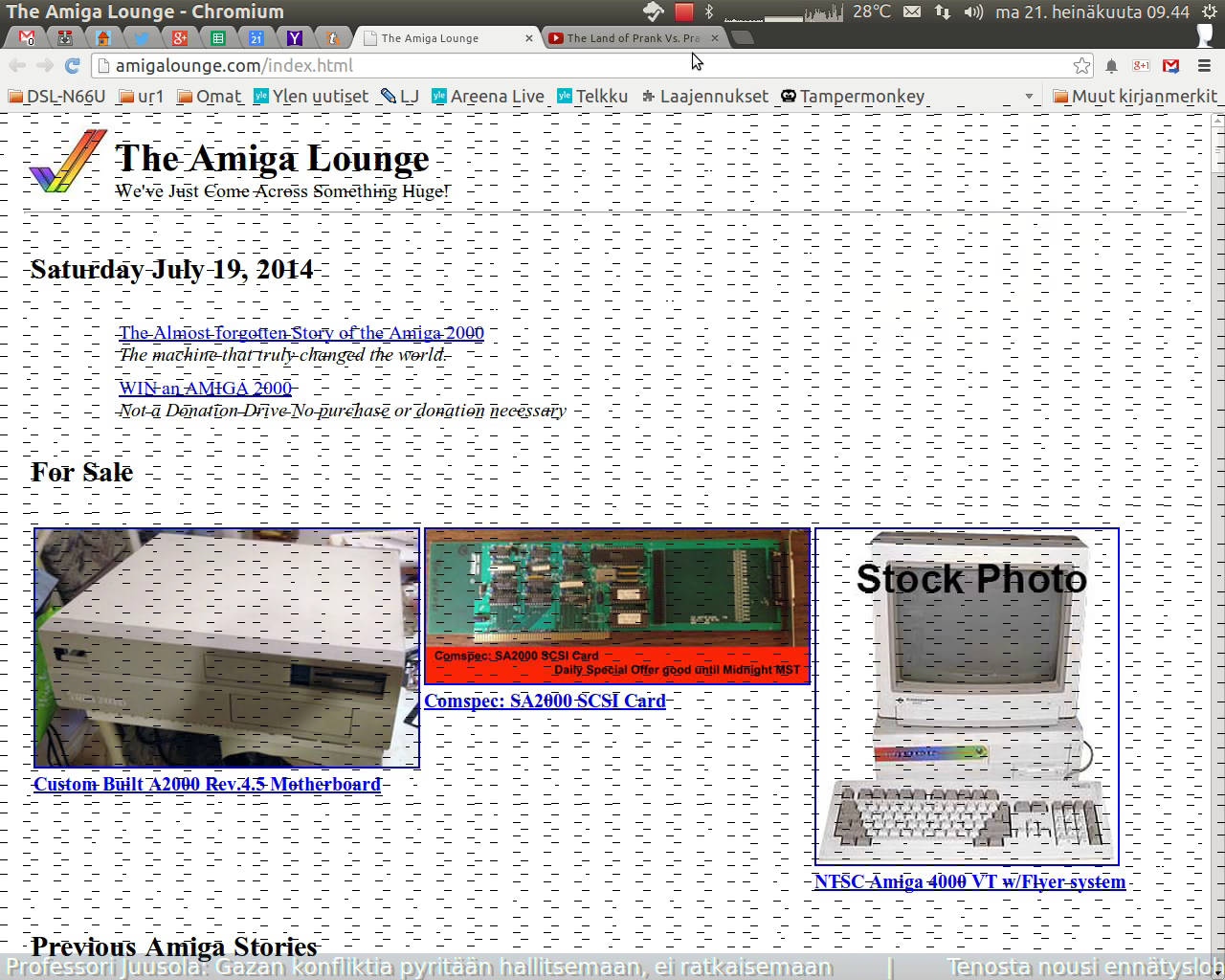
Also, here’s a screenshot (from the video) with the artifacts visible. I notice they seem to cover mostly just Chromium’s content area, but just last night I had this occur just as I was logging out (with the lines remaining on screen until I tried to take a screenshot), with nothing but the log out confirmation running on top of my desktop, so it’s probably not just Chromium that’s causing this.
Ha, finally caught a couple of glimpses of this in a screen recording! Attaching it here.
Since upgrading HWE from -lts-saucy to -lts-trusty, I have had recurring graphical glitches on screen, with short black horizontal lines appearing briefly on screen (on top of normal contents), particularly when switching between applications. The lines appear only for a few 100 ms before going away (just enough to register in your eye that there’s something there), so I’ve been trying to make a screen recording to capture it, but of course the phenomenon goes away when I do (perhaps RecordMyDesktop does something with the screen that makes it less likely to appear).
I have another 12.04 system with desktop Radeon graphics, and there -lts-trusty has not produced this issue so far (the one with the issue and the one I’m attaching the logs here from has Intel).
I don’t recall seeing this with -lts-saucy or other previous Xorg packages. It was so obvious right after upgrading that either it never occurred before or was so rare or quick to flash away that it didn’t register.
I have a HP/Compaq SDM4700P PS/2 keyboard, quite a prevalent model (I even have two myself). The keyboard has a set of 8 ”internet” keys on the top, one of which has a ”home” icon (so it’s supposed to be XF86HomePage I believe).
After installing linux-generic-lts-trusty (3.13.0-27.23 from -proposed), pressing the ”home” key triggers the computer going to sleep (powering down, power led starts blinking).
This did not happen with kernels prior to 3.13.
I installed and booted 3.13.0-24.47 (also available in the repositories now) and the issue was still reproducible.
To be sure, I also tried 3.11.0-22.38 and 3.8.0-41.60 again, and it was *not* reproducible.
(I wouldn’t have much use for the ”home” key as such, but as the keyboard lacks audio controls, I’ve remapped the ”home” key to be my XFAudioMute with ~/.Xmodmap. This was working fine until 3.13; now it still does mute the audio just before putting the computer to sleep. As I don’t use sleep mode otherwise, I’ve worked around this by adding an `exit` at the top of /etc/acpi/sleep.sh.)
With this workaround in place, desktop wallpaper (on the working display) cannot be set using the ’Appearance’ configuration tool, and with automatic login the ’login screen as background’ effect (the image attached to #1) is there too. This could be Bug #1159430, and as mentioned there, I can work around it using Compiz’ Wallpaper plugin (i.e. setting a wallpaper in Compiz sets it on the external display).
Looks like Bug #1221954 is a duplicate wrt. the ’80s and the ’90s. Upstream report (which I’ve linked to this one) says those genres have been removed, so that leaves only Rock ’n’ Roll from my report to check for in latest upstream. (And of course, those upstream fixes haven’t yet made it into Ubuntu, so these LP reports are still valid.)
Look for ’Radio’ on the left, in the ’Library’ panel. Selecting it you get the Genre list as the next panel to the right; there you should see the radio station genres listed.