Tien keskelle muodostunut korkea harjanne
Kuvassa ei näy kovin hyvin, mutta tuohon kohtaan on tien keskelle muodostunut korkea harjanne, joka sateen jälkeen liukkaana on aika vaarallinen. Huomasin, kun pyörä oli luiskahtaa alta siinä kohtaa.
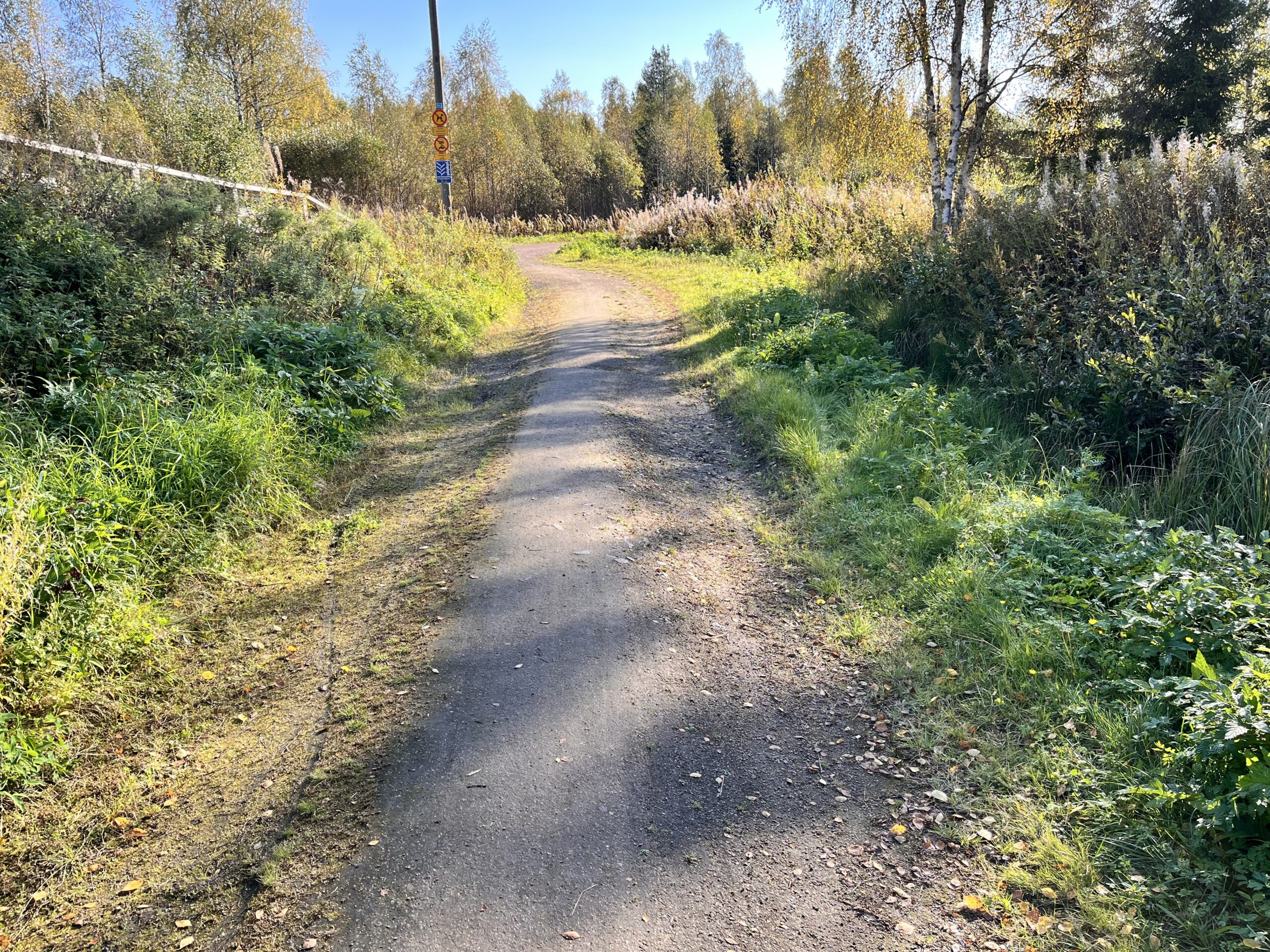
Kuvassa ei näy kovin hyvin, mutta tuohon kohtaan on tien keskelle muodostunut korkea harjanne, joka sateen jälkeen liukkaana on aika vaarallinen. Huomasin, kun pyörä oli luiskahtaa alta siinä kohtaa.
Describe the bug
I’m getting inconsistent results when converting AVIF images to other formats, using Firefox (in Ubuntu). I’m self-hosting Mazanoke 1.1.5, but the results are the same with mazanoke.com.
To Reproduce
Steps to reproduce the behavior:
Expected behavior
to receive a PNG file, fox.profile0.10bpc.yuv420.png
Screenshots
I receive a JPEG file, named fox.profile0.10bpc.yuv420.jpeg
Desktop (please complete the following information):
Additional context
The same thing (i.e. receiving a JPEG file) happens if I choose WebP as output, but not if I choose ICO: downloading the latter does produce a fox.profile0.10bpc.yuv420.ico, as expected.
Choosing JPG output also works as expected (although it would be pretty funny if it didn’t). Notably, this produces the filename fox.profile0.10bpc.yuv420.jpg: the file extension differs from the one produced by Firefox for the unexpected cases (.jpeg).
I can also work around the issue by selecting ”Download all”, which produces a zip archive, and all the files therein are in my chosen output formats as listed.
In Vivaldi (which is based on Chrome) the Download link also does produce the file in the chosen output format. So this looks like Firefox-specific issue.
Converting from (and to) other formats seems to work as expected in Firefox (at least the ones I’ve tested so far).
According to the [changelog](https://docs.mattermost.com/product-overview/mobile-app-changelog.html), there have been two releases since 2.29.1, but 2.29.1 is the latest on the [releases page](https://github.com/mattermost/mattermost-mobile/releases) here on Github. 2.30.0 and now 2.31.0 (apparently released today) are missing.
Lähestymiskytkimet tässä risteyksessä eivät taida toimia, kun pitää purnukasta nappia painaa, jotta sen valo syttyy. Muistaakseni tässä valot vaihtuvat kyllä tavallisesti itsekseenkin ajastimella, mutta ainakaan tuolla kirjaamanani tapahtuma-aikana (helatorstaiaamuna) eivät olleet ajastinvaihdolla, vaan näyttivät (pyöräilijälle) punaista kunnes painoin rasian nappia.
Sähkökaapin ovi auki tuolla radan vieressä.
Vastaa viestiin sen kontekstissa (Liikenteen Asiakaspalvelu)
I build on release tags, and it looks like building 2.28.0 now succeeds with node 22 as well (whereas 2.27.0 still failed). So I think this is fixed now!
Löysin herkullisen Kaurajemmarin jokin aika sitten. Lyhyen kokeilun perusteella se ei kuitenkaan harmi kyllä tunnu soveltuvan IBS:n takia FODMAP-rajoitteiseen ruokavaliooni.
Pienet jäämät muista viljoista (kuin kaurasta) eivät tavallisesti ole minulla aiheuttaneet ongelmia, eikä periaatteessa mikään muukaan ainesosaluettelossa mainitusta pitäisi olla sopimatonta, jollei sitten kyse ole siirapista. Kysyisinkin, että onkohan tuon valmistukseen käytettävä siirappi kenties fruktoosi- tai inverttisokerisiirappia? Nämä eivät FODMAP-rajoitteiselle sovi, toisin kuin glukoosisiirappi.
No problem; like I said, using node 20 works fine. I only noticed this issue recently, when I rebuilt my build environment, and tried doing so by the book (i.e. according to the docs).
If there’s something I can do to try to further narrow this down, let me know. I’m doing the build in an Ubuntu 24.04 VM, which I can restore to a working snapshot if testing causes it to break.
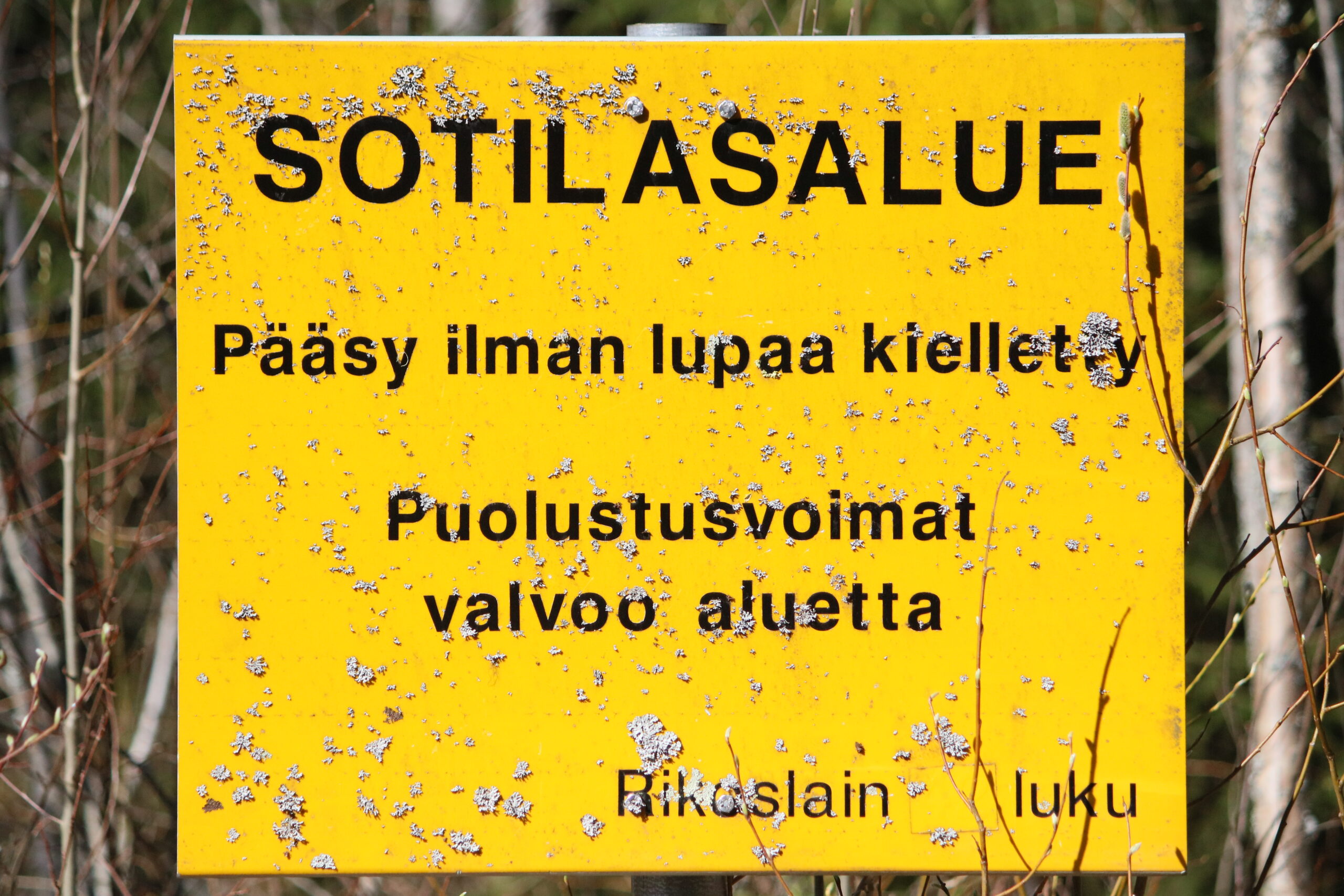
Tämä sotilasalueesta varoittava kyltti joutanee kai jo museoon, kun se aiheuttaa hämmennystä uusissa kävijöissä tuolla kuntoradan varrella.
Jollei siis tuota metsänplänttiä vielä oikeasti pv valvo.
Is it safe to update mongod* packages outside the script (directly with apt)? I prefer to leave security updates (and only those) to unattended upgrades, but it doesn’t cover these since they’re from the mongodb repository. AFAICT, the script would only allow me to update all packages (with ”Update the Operating System”), but I don’t want non-security updates.
mongod-amd64/noble 8.0.8 amd64 [upgradable from: 8.0.4]
mongodb-database-tools/noble/mongodb-org/8.0 100.12.0 amd64 [upgradable from: 100.10.0]
mongodb-mongosh-shared-openssl3/noble/mongodb-org/8.0 2.5.0 amd64 [upgradable from: 2.4.2]
mongodb-org-database-tools-extra/noble/mongodb-org/8.0 8.0.8 amd64 [upgradable from: 8.0.5]
mongodb-org-shell/noble/mongodb-org/8.0 8.0.8 amd64 [upgradable from: 8.0.5]
mongodb-org-tools/noble/mongodb-org/8.0 8.0.8 amd64 [upgradable from: 8.0.5]