A hint for anyone googling for this: make sure that the value of gcmSenderId in your AndroidManifest.xmlstill has the trailing backslash (\) after you’ve changed the project number to your own. Otherwise the value gets interpreted as int, when it should be a string, which is one way to trigger the issue of devices being assigned empty/null IDs.
(The building instructions do have this documented in bold, but it’s still very easy to miss, I know I did. Complicating the debugging was my Nexus 5X, which kept getting a proper device ID even when all other devices using the same broken build failed to.)
@juliushaertl Is backporting for docs also done as per the manual? It seems pretty straightforward, so I think I can produce those pull requests too, if needed.
Fix indefinite article before Nextcloud (an->a)
Fix typo: ”parameters and are” -> ”parameters are” in Using the occ command.
@skjnldsv The points you raise are about SEO, and (from what I linked to above) I believe those issues are already being worked on. In case I was unclear, I’m not arguing for my idea to supplant the SEO work currently in progress, but to augment it.
Obviously, if #915 gets implemented as requested, my issue becomes moot, but from reading the comments there I understand it’s not so cut and dried that it will be.
As discussed in #915 and #517, Google seems to prefer old versions’ documentation at the expense of newer ones for some reason. The issue was partly mitigated by the fix for #958, which added prominent links to the latest version on top of old pages.
But these links currently point to the manual root. Ideally, I’d like these links to point directly to the latest version of the specific manual page I’m viewing, if available.
For instance, a search for nextcloud occ (for me at least) currently yields the manual page for version 9 as the top result. The ”latest version” link at the top then takes me to the server manual introduction. This means it’s still easier for me to navigate to the latest version of the ”Using the occ command” page by manually replacing the version number in the current URL with ’stable’ (or the latest release number) than to follow the ”latest version” link and try to find the page there.
Producing specific links is probably more laborious than the generic top-level-pointing link. For instance, there may no longer be a corresponding page in the stable version. Detecting such cases should be automatable I think, but there may be other issues that aren’t.
This will be much less of an issue once the SEO issue is resolved, but I think direct links would still remain useful, as people can still come up with search terms that search engines think correspond to old documentation better than the latest.
As a workaround, copying the icons and manifest from public to domain root seems to work (with Wekan snap running behind Apache here). As the files have a wekan- prefix, collisions shouldn’t be an issue. Naturally, this solution does require write access to the domain root directory.
Nope, Chrome manifests this too:
Server Setup Information:
- Did you test in newest Wekan?: yes (current edge is 1.88, the same as stable)
- For new Wekan install, did you configure root-url correctly? yes
- Wekan version: 1.88
- Operating System:
- Deployment Method: snap
- Http frontend: –
- ROOT_URL environment variable: http://localhost
Problem description:
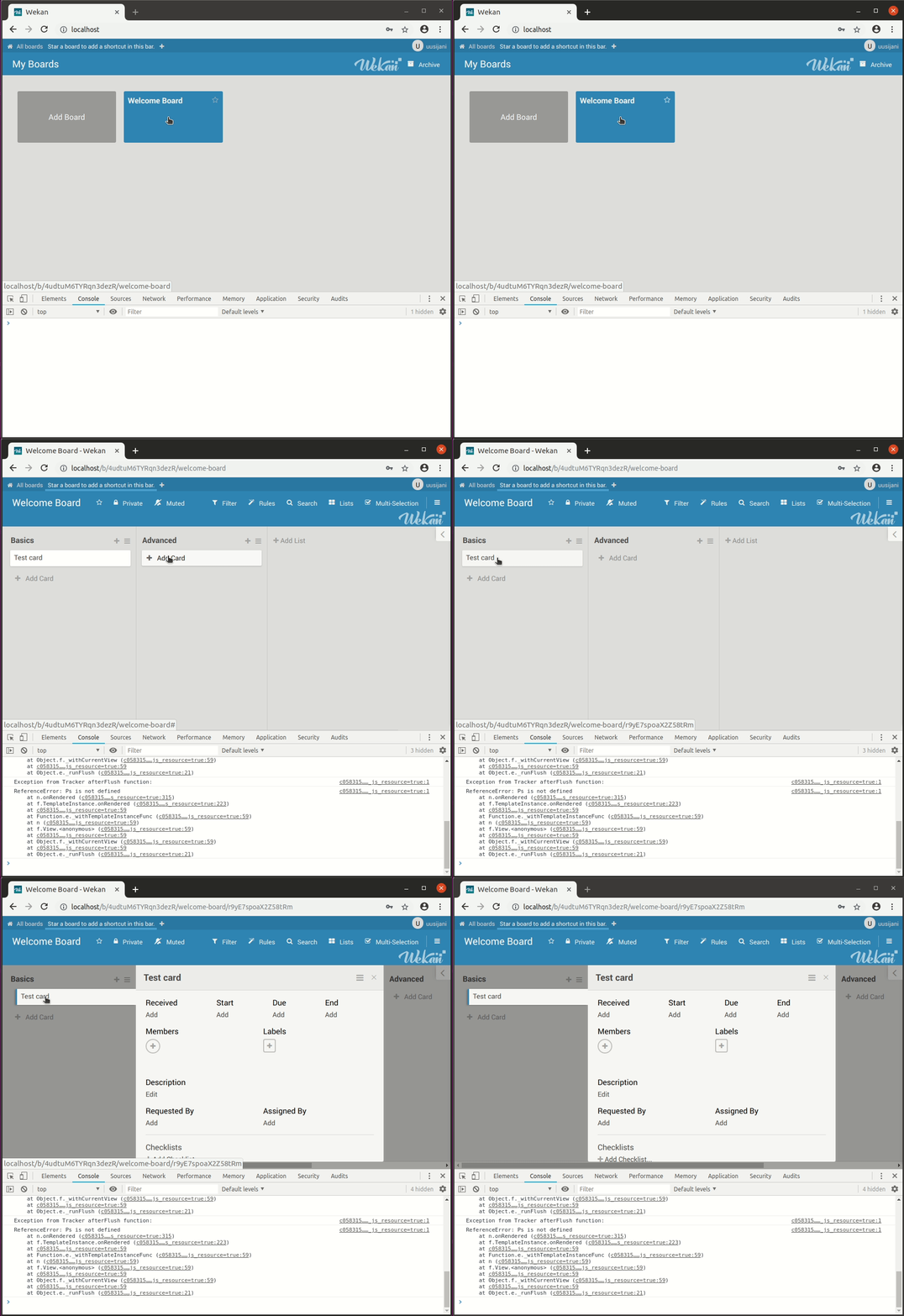
Since (at least) a few days back, my web console (in both Firefox and Chrome) is logging this error whenever I open a card. The same error is also logged for opening a board. Additionally, in the more compact view (when the browser window is small, as in the gif I’m attaching), expanding a list causes the same error, as does closing a card.
This doesn’t seem to affect any functionality AFAICT (although I did notice this while investigating why vertical scrolling within a card is suddenly very slow, but that is probably unrelated and possibly local).
The attached animation is from a fresh install with just the user account and one test card created.
Steps to reproduce:
- Open web console
- Open a card
What happens:
”Exception from Tracker afterFlush function”, ”ReferenceError: Ps is not defined”. Web console log attached.
If using Snap, output from sudo snap logs wekan.wekan
(Nothing during the error event)
Peek animation: