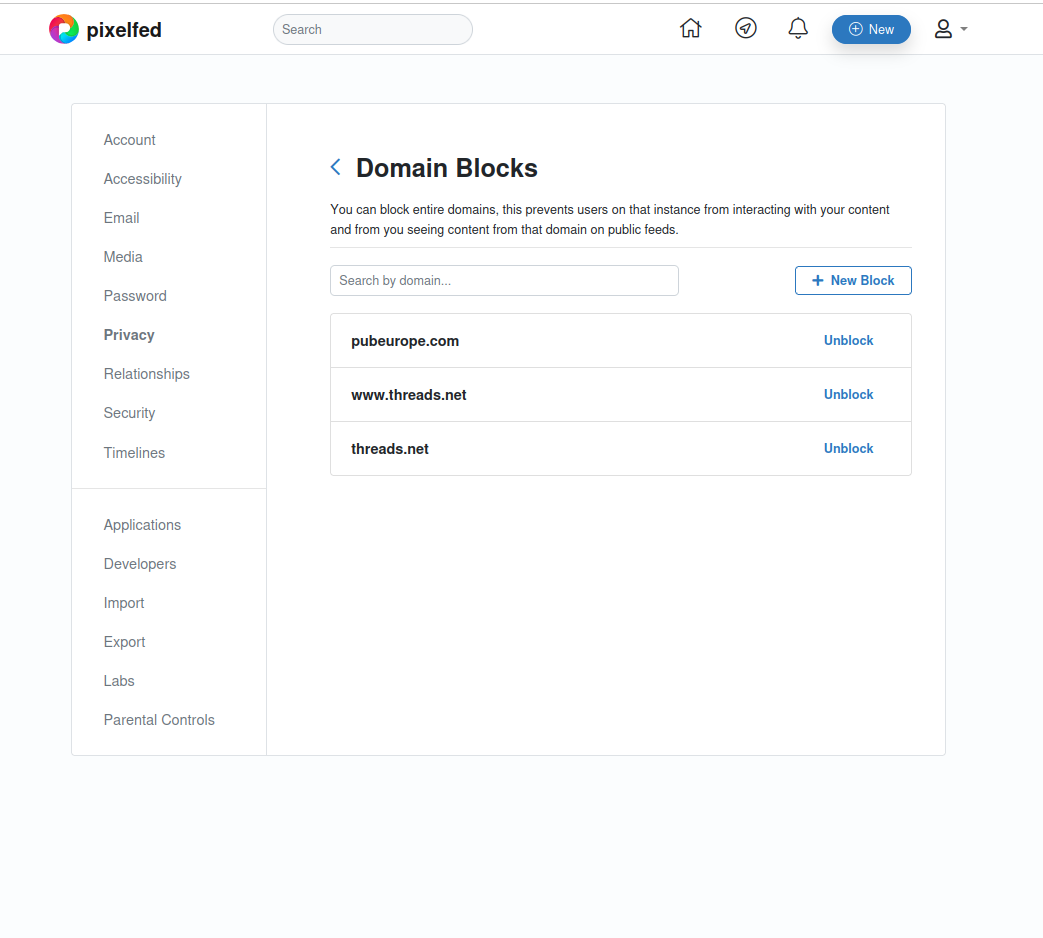
I blocked the account all those posts listed were from, then unblocked the domain (after which the posts were still there on the home feed), then blocked it again, and now those posts appear to have vanished. I don’t know which of the steps were crucial, but I’m open to experimenting further if it can help.
I added pubeurope.com to my blocked domains, and now my home feed consists of nothing but posts from that domain.
I’ve apparently blocked Threads previously (although I don’t remember it, so it may just be a default), but I don’t recall seeing posts from Threads in my timeline. Certainly not completely filling it like this.
I’m on Pixelfed.social.

Switched to 11.1 and tried updating those components again. No change unfortunately.
home-assistant_2024-11-14T09-59-20.244Z.log
After last night’s refresh I’m now running 2024.10.4. Attempting to update Nordpool, fmi-hass-custom and pytapo fail with:
Unable to install package nordpool==0.4.2: error: failed to create file `/snap/home-assistant-snap/637/.lock` Caused by: Permission denied (os error 13)
Unable to install package fmi-weather-client==0.4.0: error: failed to create file `/snap/home-assistant-snap/637/.lock` Caused by: Permission denied (os error 13)
Unable to install package pytapo==3.3.32: error: failed to create file `/snap/home-assistant-snap/637/.lock` Caused by: Permission denied (os error 13)
It’s apparently due some changes in core, as some people running HA inside a customized Docker have also suffered this.
In the previous latest/stable, updating Nordpool and FMI weather client failed with errors about pip’s version, so I had reverted those back to their earlier versions and put off retrying the updates until now. Pytapo could be a dependency of Tapo Camera Control, which also updated recently.
Yes, the qemu solution seems simpler and more future-proof than the custom Unifi repository.
Also, my guess would be that few people running Wekan on hardware old enough not to have AVX will have a massively large user base on their installation; most are probably small-time hobbyists like myself, so any negligible slowdowns being exacerbated by scale won’t be much of an issue.
I can already guess the answer to this is ”no, because of how snap works”, but would it be possible for Wekan (installed as a snap) to use mongodb tools already installed on the host system? The reason I’m asking is that I’m running Unifi’s network application on the same non-AVX-capable host, and the installation script for it has added a mongodb repository patched to work without AVX, so that’s already covered.
A tooltip is used to render explanations for terminology when site content is viewed directly in a browser. But feed readers traditionally don’t support styles, and so the content is broken up by the <span class='terminology-tooltip'> elements’ content being shown mid-sentence. For instance, this paragraph in the 2024.10 release post
<p>We also introduce some small YAML automation syntax changes. If you are still a sucker for writing your automations
in <span class='terminology'>YAML<span class='terminology-tooltip'>YAML is a human-readable data serialization
language. It is used to store and transmit data in a structured format. In Home Assistant, YAML is used for configuration,
for example in the <code>configuration.yaml</code> or <code>automations.yaml</code>
files.<a class='terminology-link' href='/docs/configuration/yaml/'> [Learn more]</a></span></span> (like me), I’m sure
you’ll love these little tweaks that make it all feel more natural.</p>
is shown in my feed reader (Tiny Tiny RSS) as:

I’m not sure if this is a recent technical change, or just the first instance of these spans being used, or if I just haven’t been reading the posts that thoroughly, but the 2024.10 release post was the first I noticed this.
I’m on amd64 too, and yep, it’s working just fine after switching to 2024.7/candidate. Excellent, thank you!
Yeah, still not working for me either. Restarting HA snap just results in the same traceback getting logged as before.
Settings > Devices & services > HACS shows it’s up to date (or at least at that same version, 1.34.0). I can’t find a ”Configuration” or ”HACS update” view under the HACS service, only the one with related Service info, Automations and so on (possibly because HACS is ”Not loaded”, which is the issue).
I don’t know if the host system has any bearing on this, but mine is running Ubuntu 20.04, and I’ll happily provide any other info if needed.


Here’s the full traceback I have, unfiltered. It refers to pydantic, and it looks like something people have worked around by forcing pydantic to version 1.10.16. I barely speak any Python at all though, so I wouldn’t know what other implications this has, if any, but I hope it’s at least a clue.
ha.log